Note
Go to the end to download the full example code. or to run this example in your browser via Binder
Eye Dome Lighting#
Eye-Dome Lighting (EDL) is a non-photorealistic, image-based shading technique designed to improve depth perception in scientific visualization images. To learn more, please see this blog post.
import pyvista as pv
from pyvista import examples
Point Cloud#
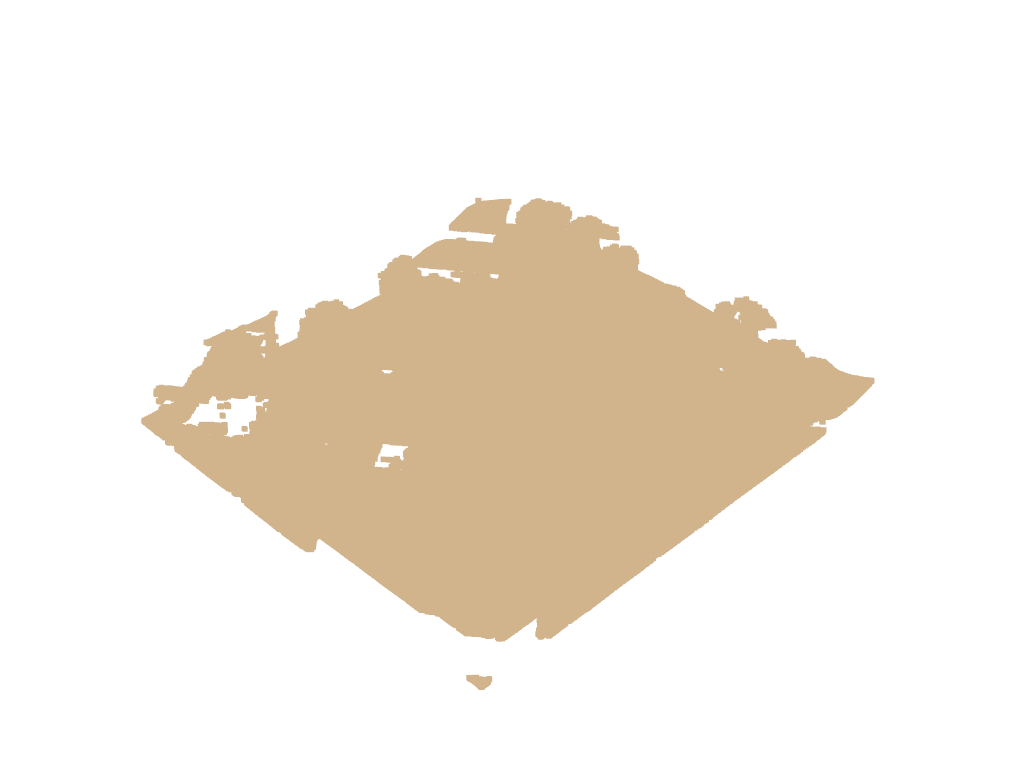
When plotting a simple point cloud, it can be difficult to perceive depth. Take this Lidar point cloud for example:
point_cloud = examples.download_lidar()
point_cloud
And now plot this point cloud as-is:
# Plot a typical point cloud with no EDL
pl = pv.Plotter()
pl.add_mesh(point_cloud, color="tan", point_size=5)
pl.show()
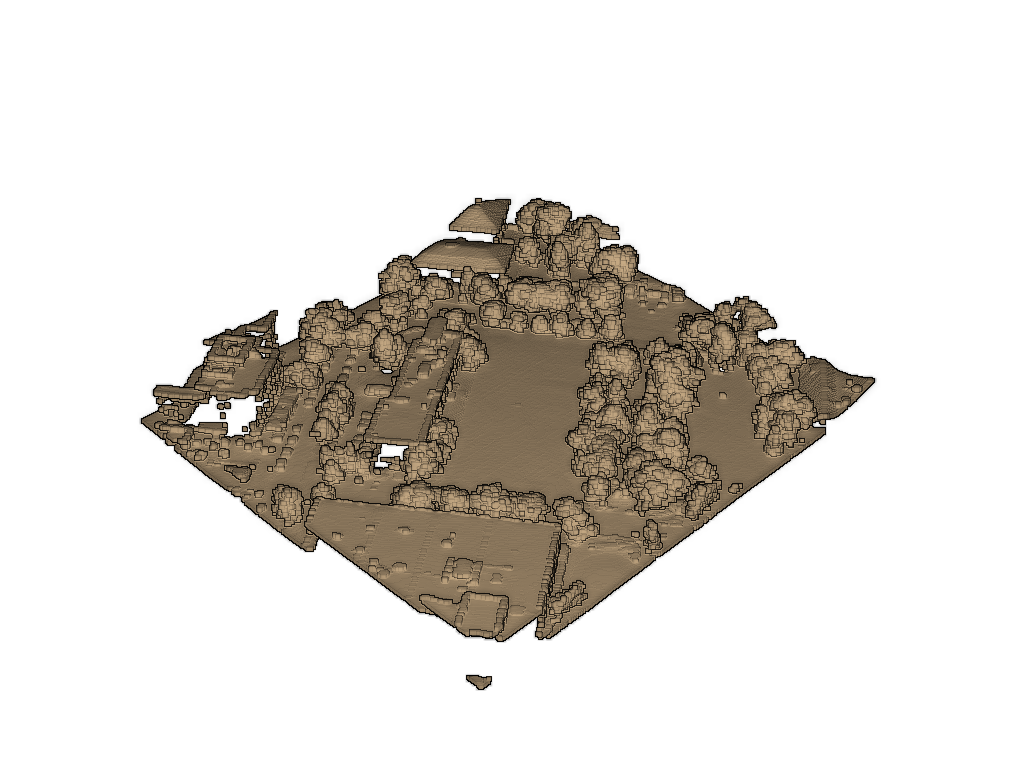
We can improve the depth mapping by enabling eye dome lighting on the
renderer with pyvista.Renderer.enable_eye_dome_lighting().
Try plotting that point cloud with Eye-Dome-Lighting yourself below:
pl = pv.Plotter()
pl.add_mesh(point_cloud, color="tan", point_size=5)
pl.enable_eye_dome_lighting()  # Turn on eye dome lighting here
pl.show()
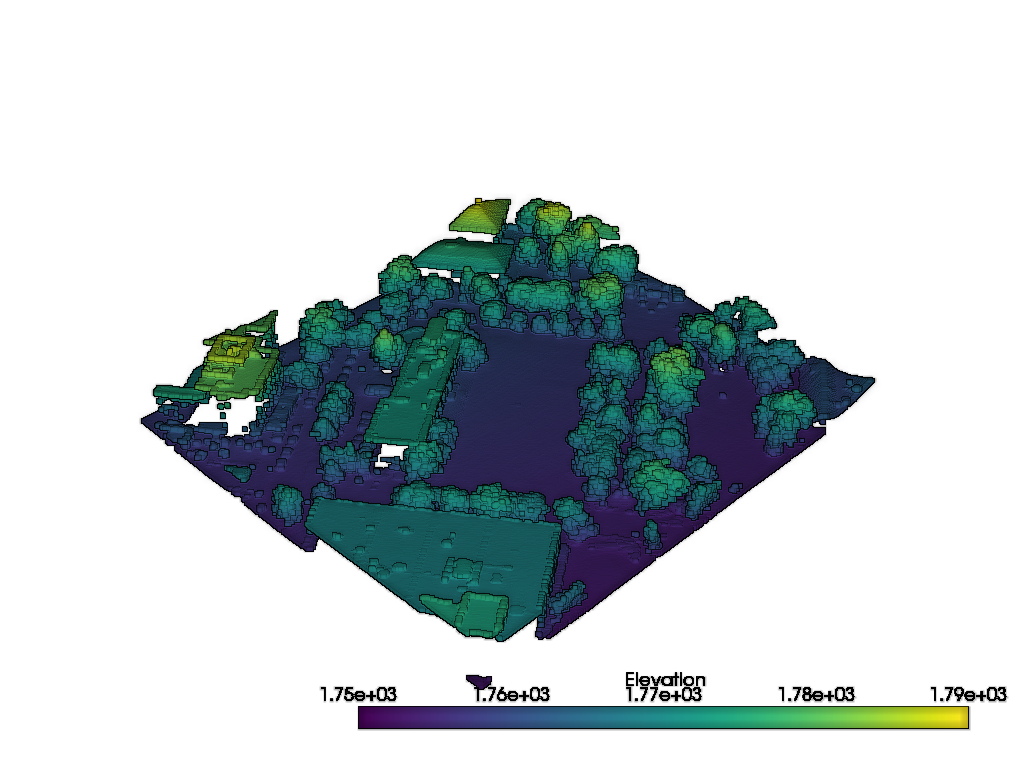
The eye dome lighting mode can also handle plotting scalar arrays. Try the
above block but by specifying a scalars array instead of color in
the add_mesh call.
pl = pv.Plotter()
pl.add_mesh(point_cloud, scalars="Elevation", point_size=5)
pl.enable_eye_dome_lighting()  # Turn on eye dome lighting here
pl.show()

Total running time of the script: (0 minutes 28.378 seconds)
